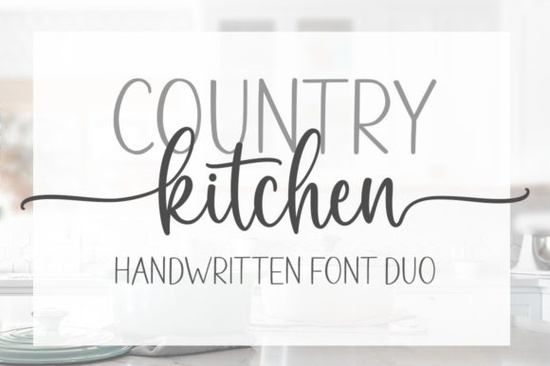
Finding the right typography for a cozy, homemade project can take hours of scrolling through endless libraries. If you are working on a recipe card, a farmhouse-style logo, or custom mugs, the Country Kitchen Font offers a warm, inviting aesthetic right out of the box. This download actually includes two distinct styles that pair beautifully together, giving you plenty of flexibility without needing to hunt for matching secondary typefaces.
Whether you are a print-on-demand seller looking for your next best-selling tote bag design or a hobbyist making personalized gifts, having a reliable, cheery script in your toolkit saves time. You can grab the Country Kitchen Font directly to start testing it on your current mockups.
What makes this two-font bundle useful for daily design work?
Most script typefaces only give you one style, which forces you to find a complementary sans-serif or serif for smaller text. This package solves that problem by including two fonts designed to work together. You can use the flowing script for your main headlines and the secondary font for subheadings, dates, or small details.
This setup is especially helpful for small business branding. A bakery or candle maker needs a primary logo mark, but they also need legible text for ingredient lists and contact information. Having both styles in one bundle keeps your brand identity consistent across all physical and digital touchpoints.
How do you access the hidden swashes and alternate characters?
One of the best features of this package is that it is PUA encoded. This means all the extra swashes, ligatures, and alternate glyphs are built directly into the font file. You do not need expensive design software to use them, making it highly accessible for crafters using basic cutting software.
Here is how you can access these special characters depending on your setup:
- Windows users: Open the Character Map application, select the font, and copy the special characters you want to paste into your design.
- Mac users: Open Font Book, select the font, and use the Repertoire tab to find and copy the extra glyphs.
- Adobe Illustrator or Photoshop: Simply open the Glyphs panel from the Window menu to see and click on every available swash.
- Cricut or Silhouette users: Use a free third-party tool like Word or the Character Map to copy the swashes, then paste them directly into your cutting software.
Which projects work best with a cheery, rustic script?
The handmade, approachable feel of this lettering makes it highly versatile for physical products and digital assets. It shines in spaces where you want the design to feel personal and welcoming.
Here are a few practical ways to use it:
- Print-on-demand apparel: The thick, readable strokes work well on t-shirts and canvas tote bags, especially when paired with simple line-art illustrations.
- Kitchen and home decor: Use it for wooden cutting board engravings, custom aprons, or printable recipe binders.
- Event stationery: The cheery vibe is perfect for bridal shower invitations, baby shower welcome signs, and birthday banners.
- Social media templates: Small businesses can use the script for quote graphics or promotional sale announcements on Instagram and Pinterest.
If you want to explore similar vibes for different projects, you might also like the Hailey lettering style for a slightly more modern feel, or Soulmate calligraphy for romantic wedding invites. For a more casual, everyday look, Front Picture handwriting works wonderfully on greeting cards, while Ashley Southine signatures adds a nice personal touch to business stationery. You can always revisit the Country Kitchen typeface when you need that specific cozy, homemade charm.
What should you check before finalizing your design?
Before you send your file to the printer or cut it on your vinyl machine, run through a quick quality check to ensure your lettering looks professional.
- Check the spacing: Script fonts often require manual kerning. Make sure the connections between letters look natural and that no swashes overlap awkwardly with neighboring words.
- Test the legibility: If you are using the script for small text, print a test page or zoom out on your screen. If it is hard to read at a glance, switch to the secondary font in the bundle for those specific words.
- Outline your text: If you are sending the file to a commercial printer or a client, always convert your text to outlines or shapes. This prevents missing font errors on their computers.
- Verify the license: Double-check your commercial use rights, especially if you plan to sell physical products featuring the typography.
Next step: Install the font files on your computer, open a blank canvas, and type out your five most common project phrases. This quick test will help you see how the swashes connect and give you a practical head start on your next design.
Get Started Smithson Font: Design Tips and Inspiration
 Unlocking Creativity with Stylish Web Fonts
 Hailey Font: Creative Design Ideas
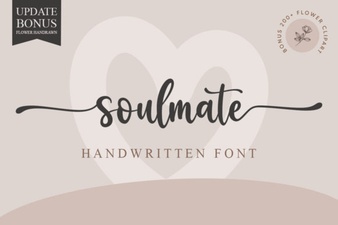 Soulmate Font: Creative Typography for Your Love Story
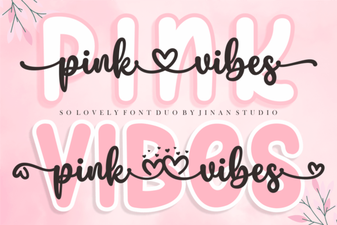 Pair & Design: a Guide to Using Pink Vibes Duo Font
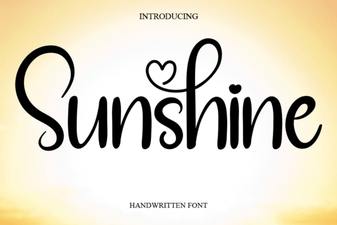 Sunshine Font: Free Download & Creative Project Ideas