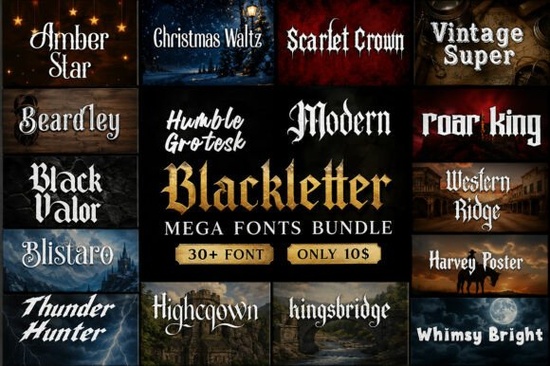
Finding the right typography for edgy, vintage, or historical projects can take hours of searching through different marketplaces. If you need a reliable set of gothic and medieval typefaces without buying them individually, the Modern Blackletter Mega Bundle Font offers a highly practical solution. This collection packs over 30 distinct styles into a single download, giving print-on-demand sellers, tattoo artists, and graphic designers a solid toolkit for branding, apparel, and merchandise.
What projects work best with gothic and medieval typography?
Heavy, ornate lettering is not just for historical reenactments. Modern designers use these styles heavily in streetwear apparel, craft beer labeling, metal and rock band logos, and even moody wedding invitations. The thick strokes and sharp serifs naturally draw the eye, making them ideal for posters and album artwork where the text needs to act as the main visual element.
When working on apparel, readability is your main concern. Highly decorative fonts can become muddy when printed on dark fabrics. To fix this, designers often use the bolder display fonts from the bundle for the main title, and pair them with a cleaner sans-serif for the smaller details. While this mega bundle covers a massive variety of styles, you might sometimes want to browse a broader blackletter fonts collection if you need a highly specific, niche historical style that isn't included here.
Which specific typefaces are included in the collection?
The bundle mixes traditional calligraphy with modern, rugged display styles. Rather than just offering slight variations of the same alphabet, it provides distinct personalities for different moods. Here are the featured fonts you get:
- Amber Star – Sharp and elegant, ideal for boutique logos.
- Christmas Waltz – Festive but with a classic, heavy stroke.
- Scarlet Crown – Regal and highly decorative.
- Beardley – Rugged, perfect for barbershop or men's grooming branding.
- Humble Grotesk – A cleaner, more modern display option.
- Vintage Super – Nostalgic with a slightly worn aesthetic.
- Black Valor – Bold and aggressive, great for gaming or sports.
- Highcrown – Tall and commanding for poster headers.
- Roar King – Heavy metal inspired with sharp edges.
- Blistaro – Unique ligatures and a custom feel.
- Kingsbridge – Classic medieval calligraphy style.
- Western Ridge – Blends gothic structures with a western vibe.
- Harvey Poster – Optimized for large-scale print and flyers.
- Thunder Hunter – Gritty and textured for a vintage look.
- Whimsy Bright – A lighter, more playful take on traditional forms.
How do these fonts perform in Cricut and vinyl cutting?
For crafters using cutting machines, intricate fonts can be a nightmare to weed. The thin, hairline strokes in traditional gothic type often tear or lift during the weeding process. Fortunately, many of the display fonts in this bundle feature thickened strokes and connected letterforms that hold together well on adhesive vinyl.
When cutting heat transfer vinyl for t-shirts, it helps to slightly increase the letter spacing and avoid scaling the design below three inches in width. If you want to soften the heavy, aggressive look of the blackletter styles, you can easily pair them with a flowing script like the Mozathia font to create a balanced, mixed-typography layout.
What should you verify before selling your designs?
Having a commercial use license is essential if you plan to sell physical products or digital templates. Before you finalize your designs for an online shop or a print-on-demand platform, always double-check the specific licensing terms included in your download folder. Some font creators require you to purchase an extended license if your sales exceed a certain number of units, or if you plan to use the typography in a trademarked logo.
It is also a good habit to flatten your text or convert it to outlines before sending files to a commercial printer. This prevents missing font errors and ensures your intricate gothic details print exactly as you see them on your screen.
Quick setup checklist for your next project
- Install the correct files: OTF is generally preferred for design software like Illustrator, while TTF works perfectly for Cricut Design Space and basic word processors.
- Test the weeding: Cut a small scrap of vinyl first to ensure the intricate gothic serifs do not tear during the weeding process.
- Check the license: Read the text file included in the zip folder to confirm your commercial usage limits and trademark rules.
- Create outlines: Convert your text to shapes in your vector software before exporting the final file for professional printing.
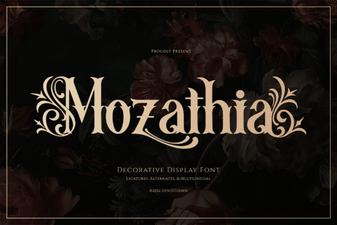 Mozathia Font: Stylish Design Ideas & Creative Use
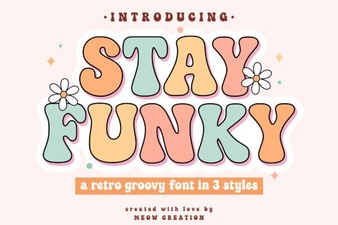 Stay Funky Font for Creative Design Projects
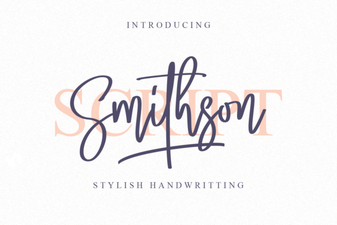 Smithson Font: Design Tips and Inspiration
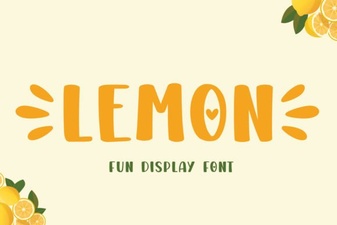 Lemon Font: Fresh Design Ideas for Creative Projects
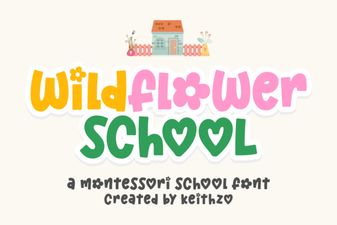 Creative Typography with the Wildflower School Font
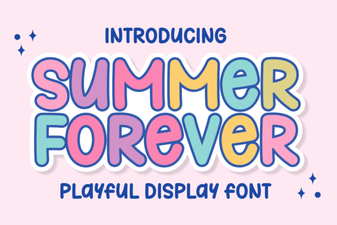 The Summer Forever Font: Creative Design Ideas & Tips