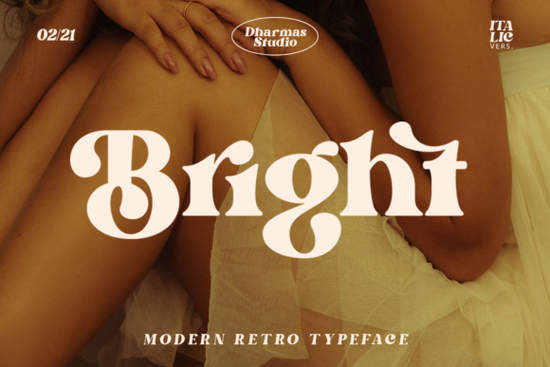
Finding the right typeface for a retro-inspired project can take hours of scrolling through endless design resources. If you are working on a layout that needs an authentic 1960s or 1970s vibe, the Bright Font offers a highly practical solution. It is a stylish serif typeface that balances a modern structure with a clear, bold, and fun retro aesthetic. Whether you are creating merchandise for a print-on-demand shop or designing branding for a small business, this typeface gives your layout a genuine vintage feel without looking outdated or messy.
What makes this typeface stand out for vintage designs?
Many retro fonts look cluttered or become hard to read at smaller sizes. This specific typeface keeps its letterforms clear and bold, making it highly legible for both large posters and small product labels. The real advantage for designers lies in its extensive OpenType features. It includes more than 50 unique alternates and ligatures that completely change the personality of your text.
Because the file is PUA encoded, you can easily access these special characters in basic design software like Canva, Cricut Design Space, or Silhouette Studio. This means crafters cutting vinyl decals or printing t-shirts can easily swap out standard letters for custom swashes, making every single design look like it was carefully hand-lettered.
How can you use this serif in different projects?
The versatility of a well-crafted serif allows it to cross over into multiple design categories. For print-on-demand sellers, it works beautifully on canvas tote bags, coffee mugs, and boutique apparel where a groovy, nostalgic aesthetic is currently popular. Small business owners can use it for artisan bakery logos, handmade candle labels, or vintage-style wedding invitations.
If you are building a cohesive brand kit, you might want to pair it with a simpler sans-serif or a contrasting script. For instance, if you need a softer companion for your body text, browsing a lighter serif style can create a nice visual balance on a website. On the other hand, if your brand leans slightly more toward high-end luxury rather than 70s retro, reviewing a more formal serif typeface might give you the refined edge needed for premium packaging. You can always check the dedicated product page to see more pairing examples and licensing details before you start designing.
Is it easy to install and use for beginners?
Installing new typography is usually straightforward, but accessing the extra glyphs can sometimes confuse beginners. Since this file is PUA (Private Use Area) encoded, all the extra ligatures and swashes are mapped to standard keyboard characters. If you are using basic crafting software that lacks a dedicated glyph panel, you can simply open your computer's Character Map on Windows or Font Book on Mac. From there, you just copy the special character you want and paste it directly into your canvas. This small feature saves a lot of frustration for hobbyists who just want to cut a quick vinyl sticker without learning complex professional design software.
What should you check before finalizing your layout?
Before you send your design to the printer or cut your final material, it helps to review a few technical details to ensure the best possible result.
- Check the kerning: While the automatic spacing is generally good, manually adjust the space between specific letter pairs if you are using the custom ligatures to ensure they do not overlap awkwardly.
- Test the physical scale: Print a test page on paper or do a test cut on scrap vinyl to ensure the thinner parts of the serif strokes do not break, tear, or peel up during weeding.
- Review the commercial license: Always double-check whether your current license covers commercial use, especially if you plan to sell physical products featuring the text to the public.
Next Step: Open your design software and type out your main headline using the standard character set. Then, open your glyph panel or character map and swap out the first and last letters of your word with the available alternates. This simple trick instantly makes a typed word look like a custom, hand-drawn logo.
Explore Design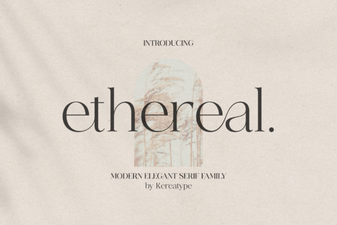 Ethereal Fonts: Designs, Applications & Creative Projects
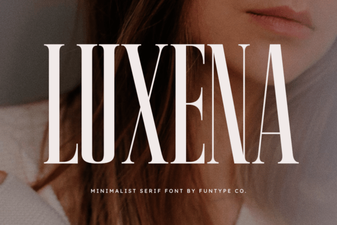 Luxena Font: Elegant Scripts for Creative Projects
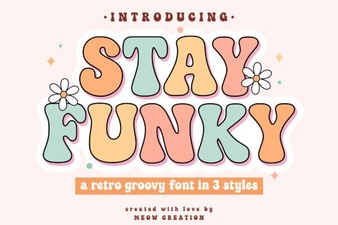 Stay Funky Font for Creative Design Projects
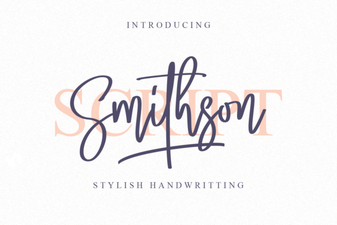 Smithson Font: Design Tips and Inspiration
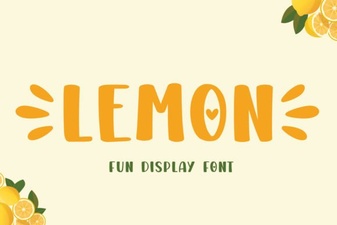 Lemon Font: Fresh Design Ideas for Creative Projects
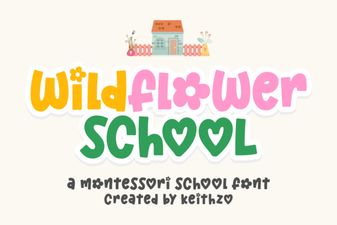 Creative Typography with the Wildflower School Font